

Projects
Break a job into phases, each with its own tasks, dates, crew and deliverables.
A project is a phase of a job, such as mobilization & layout, excavation & base or closeout & restoration, with its own tasks, dates, crew and deliverables. A job’s phases also show on its Schedule tab; this page is the company-wide view.
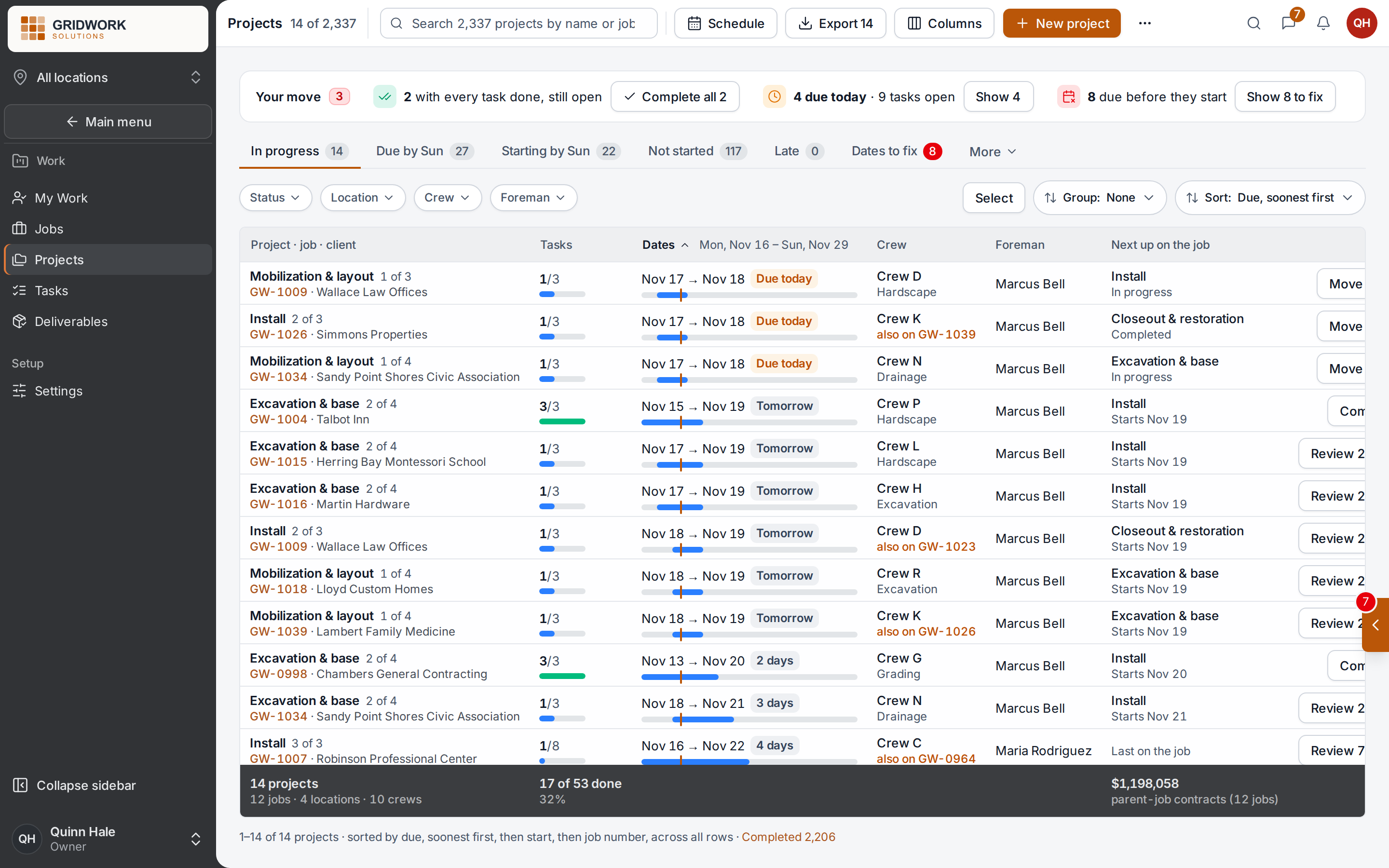
The list
Section titled “The list”Columns: Project · job · client, Status, Tasks (done of total), Dates (with a bar against today), Crew, Foreman and Next up on the job. Type is hidden until you turn it on under Columns. The search box finds a project by name or job number. Statuses: Not started, In progress, On hold, Completed.
Your move across the top gathers what needs a decision, for example projects with every task done that are still open (Complete all), or projects due before they start.
The tabs are saved views: In progress, Due by Sun, Starting by Sun, Not started, Late and Dates to fix, with Active, Completed and All under More. Narrow further with Status, Location, Crew and Foreman; Group by job, and Sort by due date, start date, job number or task progress.
Each row’s menu has Open project, Move dates…, Add task and Edit project. Select lets you tick several projects and change their status or assignment together.
Add a project
Section titled “Add a project”-
Choose New project at the top of the list (or New phase on a job’s Schedule tab).
-
Pick the Job it belongs to, and give it a Name.
-
Optionally set a Type, Client, Description, Start date, Due date and Internal notes.
-
Choose Create project.
Export the list
Section titled “Export the list”Export downloads the projects you are looking at: the same view, search, filters and sort. Each row has the job, project, status, type, tasks done and total, the dates, the crews, the foreman and what is next up. It needs the Export work lists permission, and every export is recorded in the audit log with who took it, the filters and the row count. A list over 50,000 rows is refused rather than cut short: narrow the filters and try again.
The project page
Section titled “The project page”The header shows the project’s status, which you can choose to move it, and its next step, such as Start project or Complete project. The ⋯ menu has Open client, Edit project, Move dates…, Assign… and Archive project… for the roles that have them. Under the name are shortcuts to the job, its Estimate and the project’s Deliverables.
Tabs:
- Overview: Details, Scope & notes, People, Files, Deliverables owed, This project, day by day and Alerts.
- Tasks: the tasks in this phase and the checklists on them.
- Deliverables: what this phase owes, with Start or Mark delivered on each.
- Notes & files and Activity.
Good to know
Section titled “Good to know”- Archive project… takes the project out of the lists and keeps it; Restore project brings it back.
- A project always belongs to one job.